
Services that reduce friction and hold over time

We baseline where you stand, build in phases with named ownership, and deliver with documentation and an upgrade path. Working results that survive leadership changes, budget cycles, and staff turnover.

Digital Readiness Snapshot

A lean, fixed-scope assessment that shows where you stand and what you can improve immediately. We map your current services and workflows, identify constraints, and deliver a prioritized quick-wins plan—so you can act without starting a long strategy project. Best if:

  • You need clarity and priorities, fast
  • Staff are overloaded with repetitive requests and back-and-forth
  • Information is scattered across documents, emails, and outdated pages
  • You want a low-risk starting point before bigger investments

We deliver

  • Baseline snapshot of current services, content, workflows, and responsibilities
  • Constraints & requirements check (privacy, accessibility)
  • Quick wins backlog (prioritized list with impact/effort and clear next actions)
  • Decision memo (2–3 practical paths forward, plus recommended next step)

How we work

  • Kickoff + scope
  • Review and mapping (services/content/workflows)
  • Baseline + findings
  • Quick wins + priorities
  • Snapshot report + decision memo

Outcome

A clear, implementable starting point that reduces guesswork, aligns stakeholders, and sets up measurable progress.

Implementation Roadmap & Governance

A structured roadmap that turns the Snapshot into delivery. We define phases, ownership, and measurable outcomes—so improvements survive leadership changes and don’t stop at go-live.
Best if:

  • You want a plan that is realistic, phased, and executable
  • Multiple stakeholders need alignment and clear responsibilities
  • You want to reduce reinvestment by building an upgrade path
  • You need documentation and governance, not just ideas

We deliver

  • Phased implementation roadmap (sequencing, milestones, dependencies)
  • Ownership model (who owns what: content, approvals, maintenance, KPIs)
  • Outcome metrics (baseline → target measures, per phase)
  • Delivery plan (acceptance criteria, documentation/handover approach)
  • Risk & compliance plan (privacy/accessibility/security basics mapped to phases)
  • Optional: budget bands and procurement-ready scope blocks (if needed)

How we work

  • Confirm objectives + constraints
  • Prioritize by outcomes and feasibility
  • Design phases + milestones
  • Define ownership + operating cadence
  • Roadmap package ready for decision and procurement

Outcome

A roadmap that people can execute: clear responsibilities, measurable targets, and a delivery sequence that stays maintainable over time.

Citizen Info Portal +
Guided Assistant

A citizen-facing online touchpoint—web-first, optional app—that helps people solve common requests with fewer visits and less back-and-forth. Citizens get clear steps, required documents, forms, and practical guidance before they contact the office.
What it solves:

  • Citizens come to the office just to ask “what do I need?”
  • Staff repeat the same explanations across phone, email, and counter
  • Requirements are scattered across PDFs, internal notes, and outdated pages
  • Forms are available, but not understandable or completeable without help

What citizens can do

  • Find the right service quickly (permits, registrations, local procedures)
  • See exact requirements and a step-by-step checklist
  • Download official forms and supporting templates
  • Get guidance on how to complete forms correctly
  • Know where to go, when to go, and what to bring—so they can solve it in one visit

What staff get

  • Fewer repetitive inquiries and clarifications
  • Fewer incomplete submissions and return visits
  • A single place to maintain service information (with clear ownership)
  • Better visibility into what citizens search for and where they get stuck

The assistant (tight guardrails, compliant by design)

  • We can add a guided AI assistant that answers questions only from the municipality’s approved content (procedures, rules, and forms).
  • Grounded in your curated sources (not “open internet answers”)
  • Clear boundaries: it answers what it knows and escalates what it doesn’t
  • Designed to minimize data and avoid unnecessary retention
  • Transparent: links back to the relevant official source content

We deliver

  • Service catalog structure (what services are covered first)
  • Portal design and implementation (web; optional app layer)
  • Content model + templates for services (steps, requirements, fees, forms)
  • Search and navigation optimized for real citizen questions
  • Governance setup: ownership, update cadence, and change log
  • Optional: assistant module with guardrails and logging/retention controls

How we deliver

  • Select the first service set (high volume / high friction)
  • Build the portal structure and templates
  • Prepare and validate content with your team
  • Launch MVP, measure usage and friction points
  • Improve in small iterations based on real questions and data

Outcome

Reduced bureaucratic friction for citizens and reduced staff burden—without building a high-risk transactional system from day one.

Public Web Platform & Content Operations

A modern, accessible website for public institutions and organizations—built to be easy to maintain, easy to update, and reliable under real-world constraints. We don’t just launch pages. We set up the structure, roles, and workflows so information stays current and usable. What it solves:

  • Outdated pages and duplicated information across departments
  • PDFs replacing clear online guidance
  • Slow updates because nobody owns the content or the process
  • Accessibility issues and inconsistent structure
  • Websites that look fine but fail in daily use

We deliver

  • Information architecture (clear structure for services, news, documents, contacts)
  • Accessible UI (WCAG-aligned; target level defined per project)
  • Content model + templates (service pages, procedures, announcements, downloads)
  • CMS setup (editor roles, permissions, review/approval flow)
  • Search and navigation designed around real public questions
  • Documentation + handover (so you’re not dependent on a vendor)
  • Optional integrations where needed (forms, maps, newsletters, APIs)
  • Optional with AI copywriting assistant

Content operations (what makes it stick)

We set up a lightweight governance model so the site stays accurate:

  • Named content owners per section
  • Update cadence (routine reviews + urgent changes)
  • Approval workflow and change log
  • Basic KPIs (top searches, failed searches, high-friction pages)

How we deliver

  • Align on goals, audiences, and constraints
  • Design structure + templates for maintainable content
  • Build and configure CMS roles and workflows
  • Migrate/prepare content with your team
  • Launch, document, and hand over cleanly
  • Improve in small iterations based on real usage

Outcome

An accessible public web platform that reduces confusion for citizens and reduces repetitive work for staff—backed by clear ownership, documentation, and a process that keeps content current.
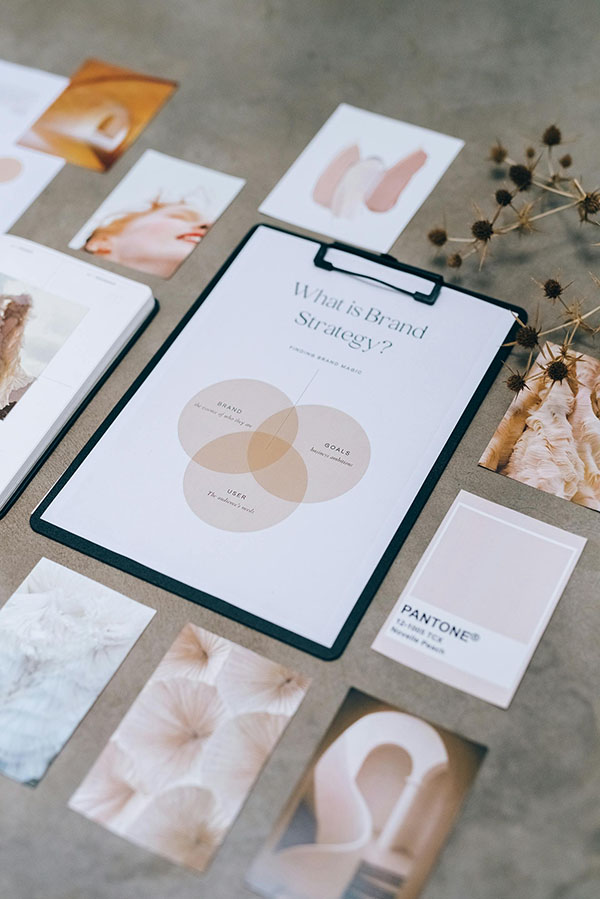
Institutional Identity & Branding

Visual identity and communication assets for public institutions and organizations—designed for clarity, consistency, and long-term use. From institutional branding to programs and events, we deliver materials your team can reuse without reinventing the wheel every time. What it solves:

  • Inconsistent visuals across departments, programs, and events
  • Ad-hoc posters and templates that don’t scale or match the institution
  • External suppliers producing one-off assets without system or continuity
  • Too much time spent reformatting, recreating, and approving materials

We deliver

  • Visual identity system (logo usage, typography, colors, layout rules)
  • Brand guidelines (short, practical, easy to follow)
  • Templates for common needs (presentations, documents, social posts, signage)
  • Print and digital materials (posters, flyers, banners, invitations, roll-ups)
  • Program and event branding (coherent look across all touchpoints)
  • Asset library + handover (organized files, formats, and usage notes)

How we deliver

  • Clarify purpose, audiences, and constraints
  • Define a visual system that fits the institution and its programs
  • Produce templates and core assets first (for immediate use)
  • Extend to event/program packages as needed
  • Hand over documented assets so your team stays independent

Outcome

A consistent public presence that makes communication clearer, reduces rework for staff, and supports programs and events with professional, reusable materials.

Regional Heritage Digitization

Interactive 3D, Photo/Video Capture, Documentation

Photorealistic, interactive 3D capture (optional photo/video capture) of landmarks, cultural sites, interiors, and public spaces—delivered as a reusable digital asset library. Citizens and visitors can explore locations online, and institutions can use the captures for documentation, planning, and long-term preservation.

Use case examples:

  • Promotion & tourism: interactive showcases of landmarks, trails, museums, and local highlights—easy to share and embed.
  • Culture & education: digital access to heritage and exhibitions, even for people who can’t visit in person.
  • Preservation & maintenance: baseline documentation of an object today, plus repeat captures over time to track decay, damage, or restoration progress.
  • Urban development & planning: visual context for planning decisions, stakeholder communication, and progress monitoring.
  • Landscape & environment monitoring: repeatable captures for areas where visual change matters.

We deliver

  • Interactive 3D experiences (web-ready, shareable, embeddable)
  • High-quality photo/video package (as needed for communication and archives)
  • Optional aerial capture (drone) where it adds value and is permitted
  • Optional measurement/mapping outputs (depending on scope and purpose)
  • Asset library + rights-ready handover (organized files, formats, and usage notes)
  • Documentation baseline report (what was captured, when, how, and how to repeat it)

How it can be delivered

  • Standalone web showcase (simple landing page or mini-platform)
  • Integrated into your existing website/platform (when technically feasible)
  • Paired with your web platform refresh (best when you want a consistent public presence)

Packages

  • Showcase Package: one location, interactive 3D + curated visuals for public promotion.
  • Archive Package: higher detail + structured deliverables for institutional documentation.
  • Monitoring Package: repeat captures on a schedule to compare changes over time.
  • Planning Package: area capture + outputs tailored for development communication and tracking.
  • Custom Package: we adapt to your needs

How we work

  • Define the objective (promotion, preservation, monitoring, planning)
  • Scope the site(s), access, permissions, and capture method
  • Capture on location (ground + optional aerial)
  • Process and validate outputs (quality, clarity, usability)
  • Deliver assets + publish/integrate + handover documentation
  • If monitoring: repeat capture on schedule with comparable outputs

Outcome

A low-friction, high-impact way to make regional assets visible online—and a practical documentation tool for institutions that need reliable, reusable records over time.